Nikolay Stefanov

Case study, client work

A party agency's website, redesigned so parents find their way.

Maska organises children's parties, team buildings, weddings and town festivals in Sofia. This is a full redesign of their website: designed in Figma first, then built in WordPress and Bricks with Claude Code, tested with real people and launched at maska-bg.com.

Client
Party agency Maska
My role
UX/UI design, build, SEO
Timeline
2026
Tools
Figma, WordPress, Bricks, Claude Code

01 The starting point

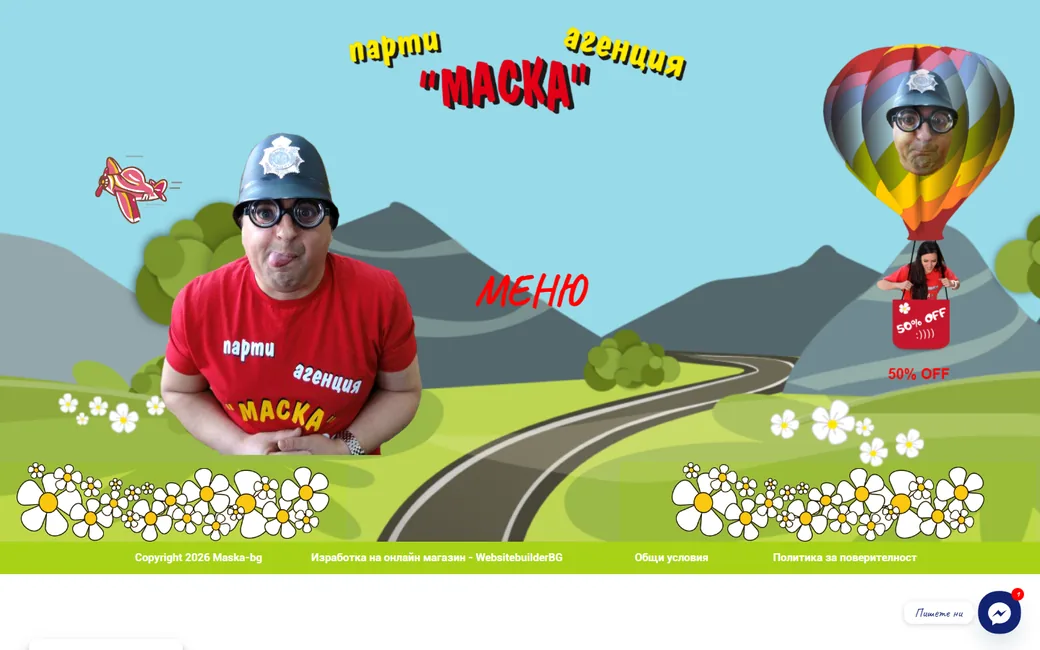
A picture with the word "Menu" on it.

The old site opened on a full-screen illustration: a landscape, a hot air balloon, the owner's photo and a single red word, "Menu". Nothing on the screen said what Maska does. It ran on an online shop template, so its 61 public pages also included a cart, a checkout and a wishlist. I captured every one of them on a computer and on a phone before designing anything.

  • Finding 1

    Nothing says what they do.

    The home page has no sentence about the services, only artwork and a menu word.

  • Finding 2

    Icons without words.

    The main navigation is a column of icons with no labels, on the phone as well.

  • Finding 3

    The price hides in the artwork.

    Duration, price and age share one small text box over the illustration.

  • Finding 4

    Shop pages for a service.

    Cart, checkout, account and wishlist pages, left over from the template.

The old home page: an illustrated landscape with a balloon, the owner in costume and one red word.
Before. The old home page on a computer.
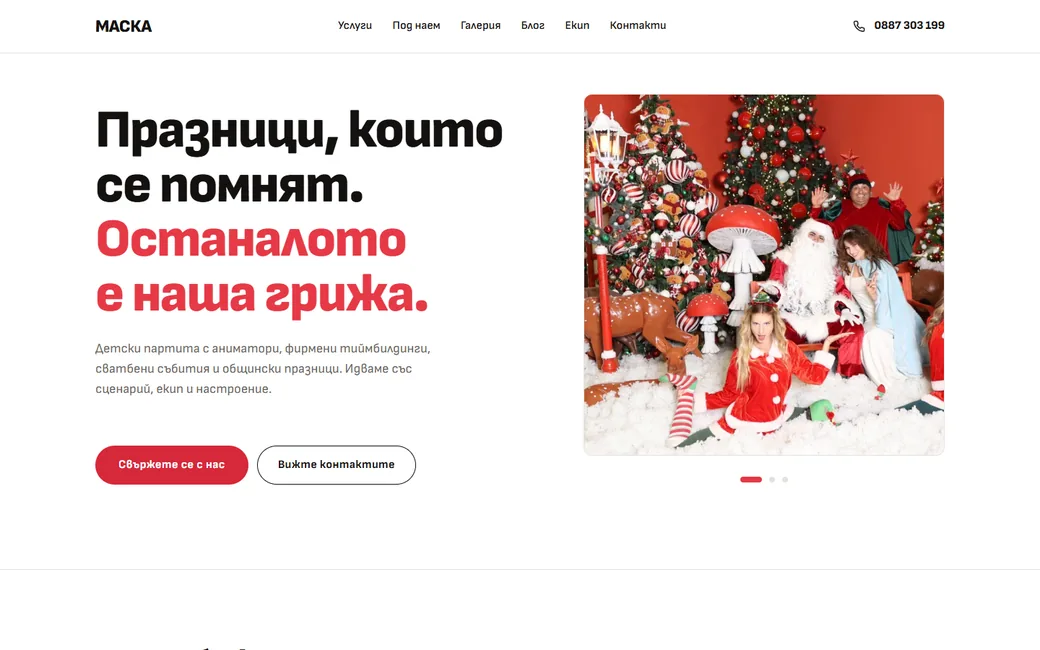
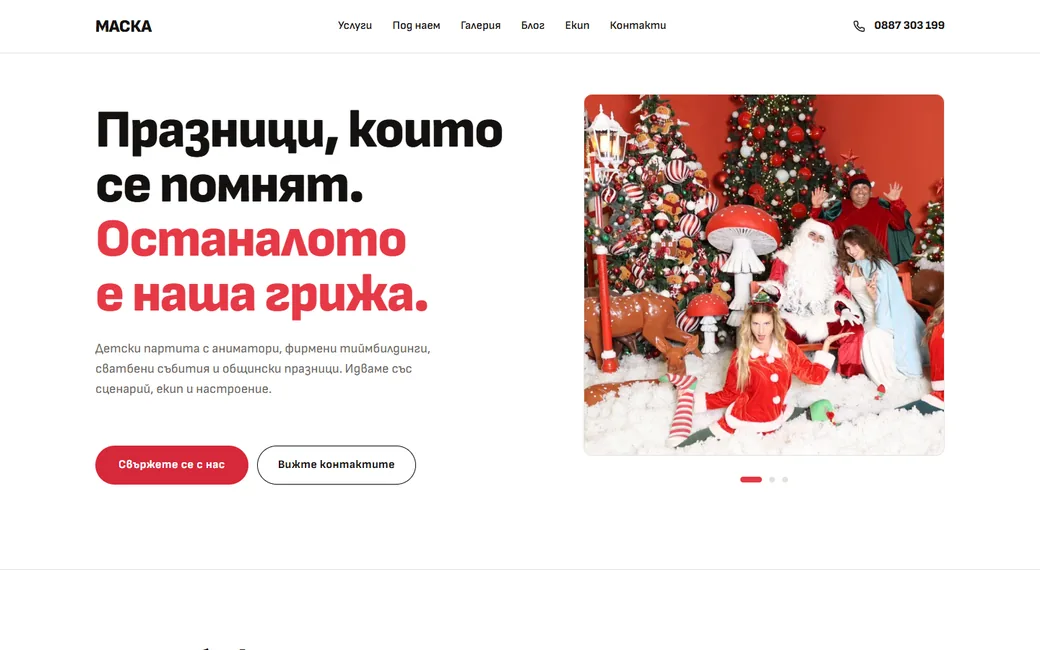
The new home page: a headline about the parties, a short line on the four kinds of events and two buttons.
After. The first line says what Maska does.

02 Structure

One page, one job, no wandering.

On the old site the services, themes and prices sat on pages that looked alike, reached through icons without names. The new structure gives every service a page of its own, with its own information: children's parties, corporate events, hotel animation, weddings, town festivals and equipment to rent. Every themed party has its own page with the duration, price, age and what is included, and the home page is a short tour that leads to each of them.

What it is built on

  • Copy

    Friendly, plain words.

    Warm and a little playful, written for parents, with no jargon, no emoji and no dashes.

  • System

    One design system.

    Sofia Sans, white, red and a touch of yellow, with the same components on every page.

  • Editing

    The client edits it.

    Every text, photo and list changes in the builder, without code.

  • Phones

    Phones first.

    16 pixel minimum text, large tap targets and photos that crop properly on a small screen.

03 Process

From two wireframes to a live site.

  1. Two directions in Figma.I designed two wireframe variants, so the choice could be made by looking, not by imagining.
  2. Choosing one together.We picked a direction side by side and built every page on it.
  3. What every page has to say.Services, themes, prices and durations, gathered page by page in the agency's own words.
  4. Testing with people.A remote test with eight people and five tasks, on a phone and on a computer.
  5. A form, or no form.Prototypes of the contact section, side by side. The direct channels won.
  6. Final review and launch.A last pass on every page, then the move to maska-bg.com with every old address redirected.

04 Key decisions

Where the work actually was.

  • Tone

    Playful for children, serious for parents.

    The parties are for children, but the people who book them are parents. The photos and the names of the themes carry the fun. The layout, the type and the prices stay calm and clear, so the site reads like a business you can trust with a birthday.

  • Calls to action

    Many buttons, one path.

    The first wish was a button in every corner. Several calls to action side by side compete, and the visitor picks none. Each screen now has one main action in red and one secondary, and on a phone the red contact bar steps aside while another red button is on screen.

Should people fill in a form, or just write?

I built a contact form with a switch between phone and email, so only one field shows. The goal, though, was people writing to the agency, not filling in forms. So the form made way for the channels people already use.

Chosen

Three direct channels

Pros

  • Phone, Viber and Messenger, one tap each
  • Matches how the agency already works

Cons

  • The details come in the chat, not upfront

Verdict: The red button and the number at the top open Viber and Messenger. Social profiles live in the contacts section, not on the buttons.
Discarded

Contact form

Pros

  • Arrives with the date, the guests and the occasion
  • One place for every request

Cons

  • Asks for effort before there is a conversation

Verdict: Removed after it was built, together with its scripts.

Accessibility, built in

  • Reading

    Text that holds up.

    16 pixels minimum. White on the brand red reaches only 4.17:1, so buttons use a deeper red at 4.97:1.

  • Keyboard

    Usable without a mouse.

    Skip links, a visible focus ring, and a menu and chat window that open, close and return focus with the keyboard.

  • Screen readers

    Everything has a name.

    Every photo has a description, every button and field has a label, and every page has one main heading.

  • Navigation

    Breadcrumbs and a real Back.

    Every inner page shows where you are. "Back" returns one step when you came from the site itself.

05 Testing with people

Then I asked people to find things.

Eight people went through the site on their own, five on a phone and three on a computer. Five tasks, each in a different part of the business, and three possible answers: found it right away, found it after wandering, or did not find it. The middle answer catches the places that work but cost effort.

  • 34 of 40Tasks found right away
  • 0 of 40Tasks not found at all
  • 7 of 8Would call the agency after seeing the site

Found right away, task by task

  • Price and length of the pirate party7 of 8
  • Price of a popcorn machine for one event5 of 8
  • Photos from weddings only7 of 8
  • A way to write on Viber8 of 8
  • How many team building programmes, and one name7 of 8

What they said

  • “The home page looks a bit like a news article, not so much like a party agency.”

    Participant on a phone
  • “Clear structure and a clear split of the services.”

    Participant on a computer
  • “I'd like to know what the animator programmes actually are. Without a storyline the names give no context.”

    Participant on a computer
  • “Looking for the popcorn machine to rent.”

    Answer to "where did you get lost?"

06 Design system

A system that lives inside the builder.

Everything is native to Bricks, so it keeps working without me: 26 variables, 53 global classes, theme styles for text and headings, and Sofia Sans served from the site itself. Themed parties, rental equipment, gallery photos, reviews and hero photos are content types of their own, so a new party theme is added the way a post is.

  • Ink#141110
  • Muted#6B6560
  • Soft#9A938D
  • Line#E5E1DB
  • Panel#F5F2ED
  • Red#E63946
  • Red, buttons#D62839
  • Yellow#FFC700
  • 16 pixels, minimum.

    Labels, captions and the footer included.

  • Words, not icons.

    Only functional marks stay: back, menu, close and the carousel arrows.

  • Fades only.

    Nothing pulses, bounces or slides in to grab attention.

  • One red at a time.

    A single main action per screen, in the deeper red.

07 Launch and SEO

Live, fast, and nothing lost on the way.

The new site replaced the old one at the same address. Every old page was mapped to its new place before the switch, and a cache layer brought the phone score up after launch.

  • 60 of 60Old addresses redirect to the right new page in one step
  • 66 to 89PageSpeed on a phone, with 98 on a computer and 100 for SEO
  • 288Impressions in Google search in the first week, with 32 clicks

08 Before and after

The same parties, easier to choose.

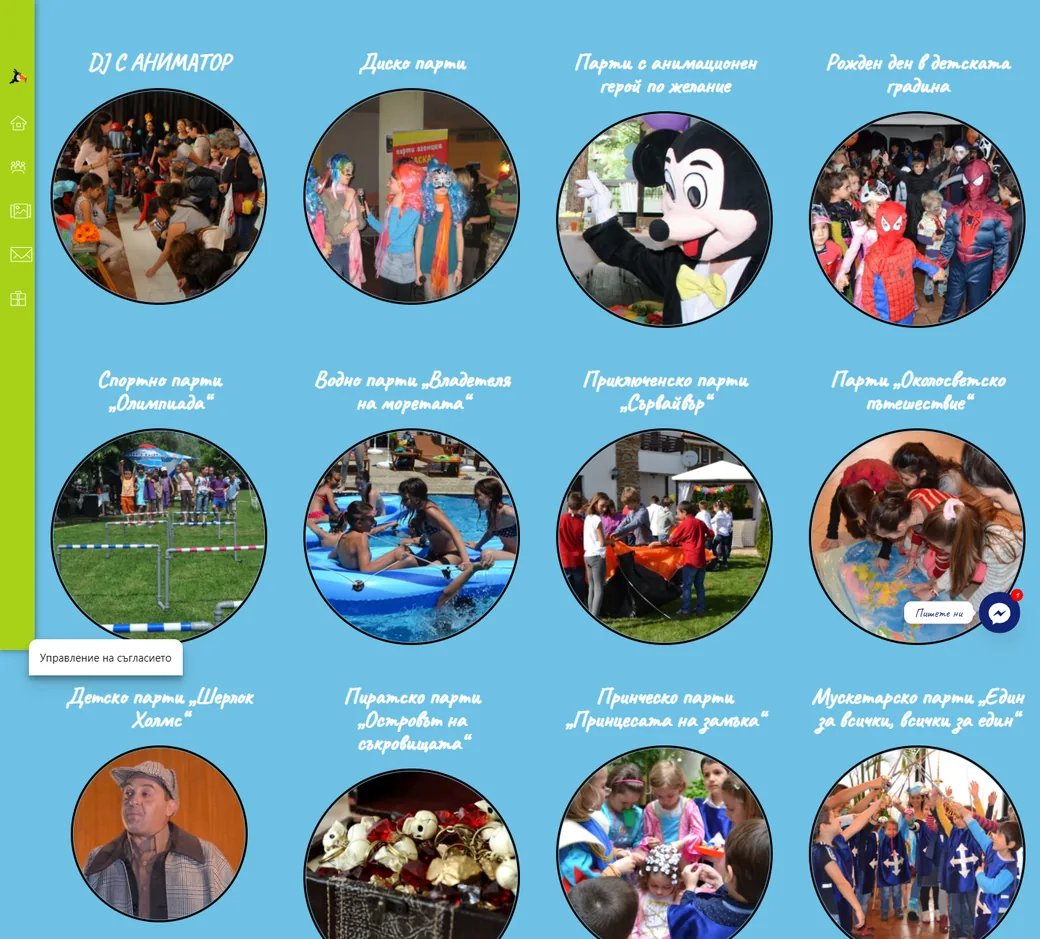
The old themes page: 23 round photos with handwritten titles on a blue background.
Before. 23 themes as circles with handwritten titles.
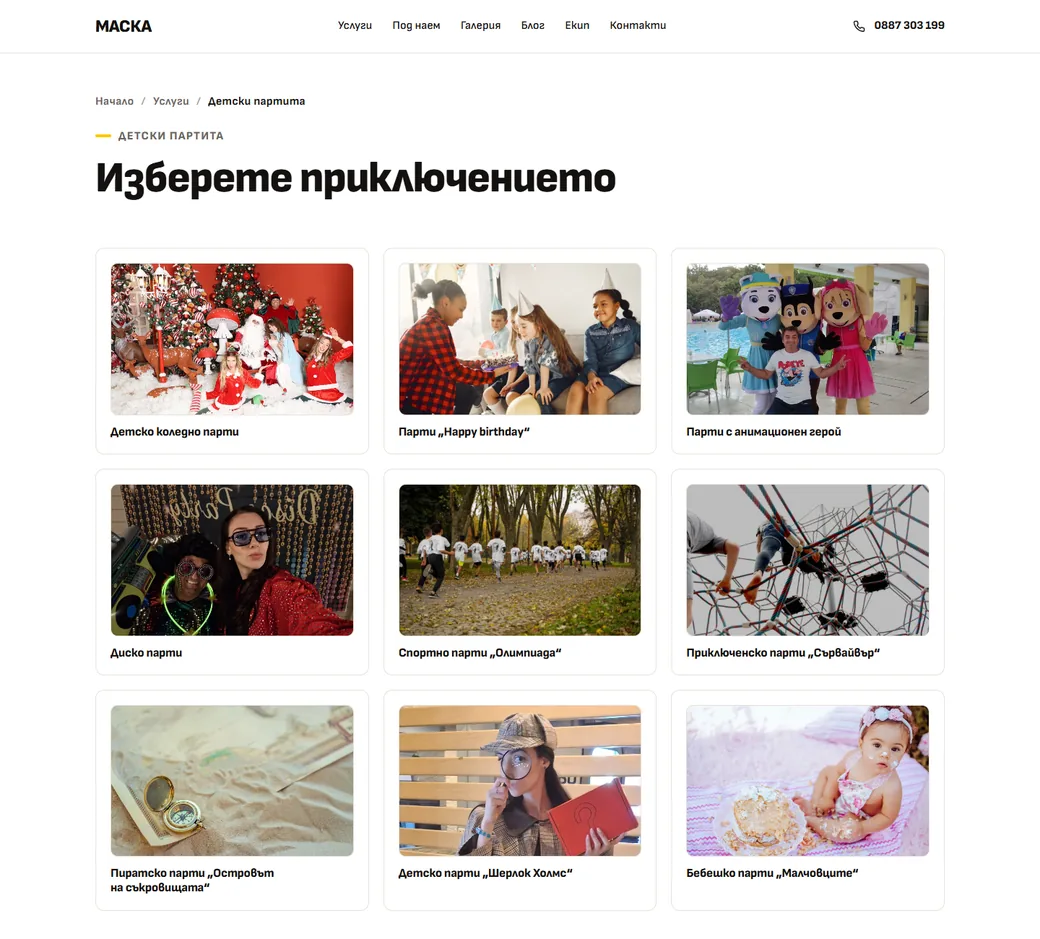
The new themes page: nine themed parties as cards with a photo and a clear title.
After. Nine themes as cards, each with its own page.
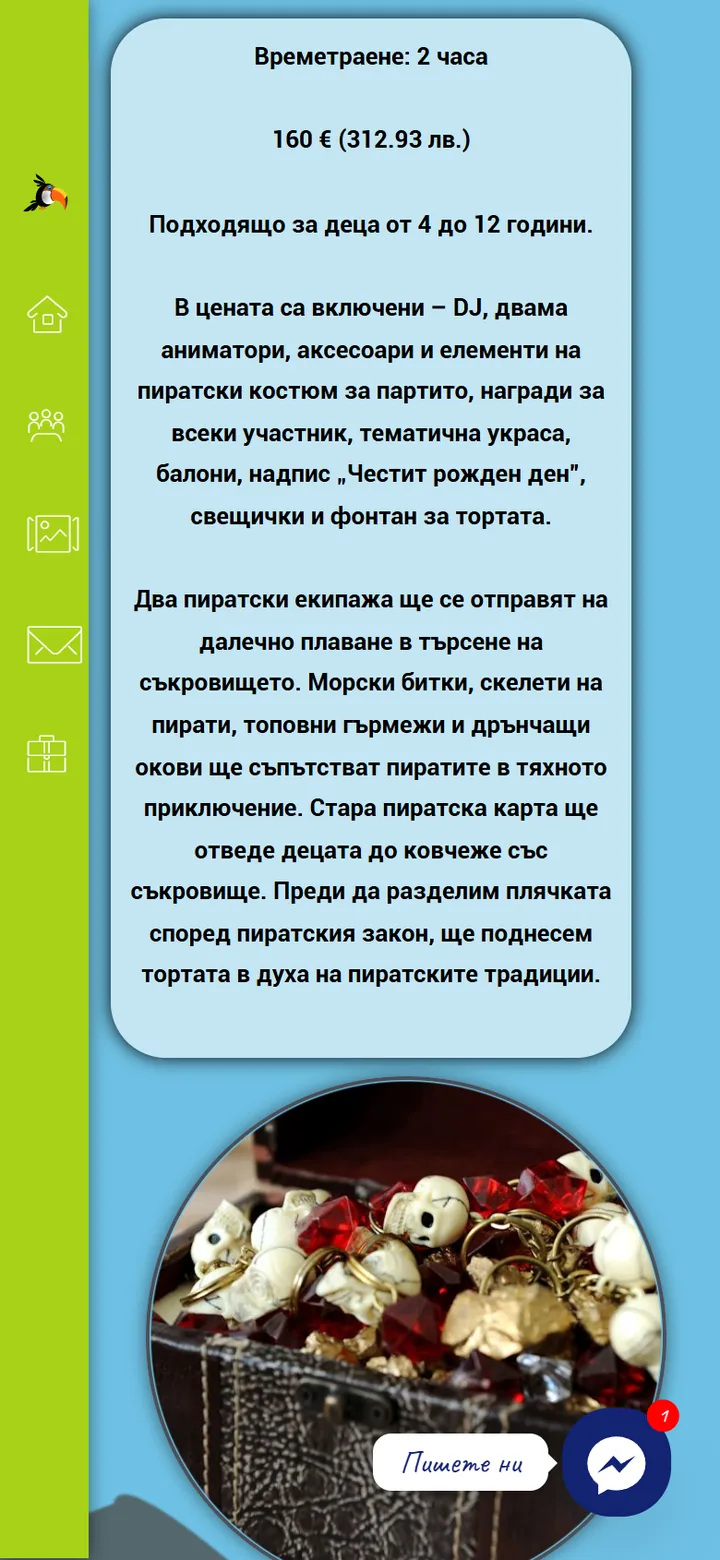
The old pirate party page on a phone: one block of centred text with the price and duration, next to a column of icons.
Before. The pirate party on a phone, all in one block.
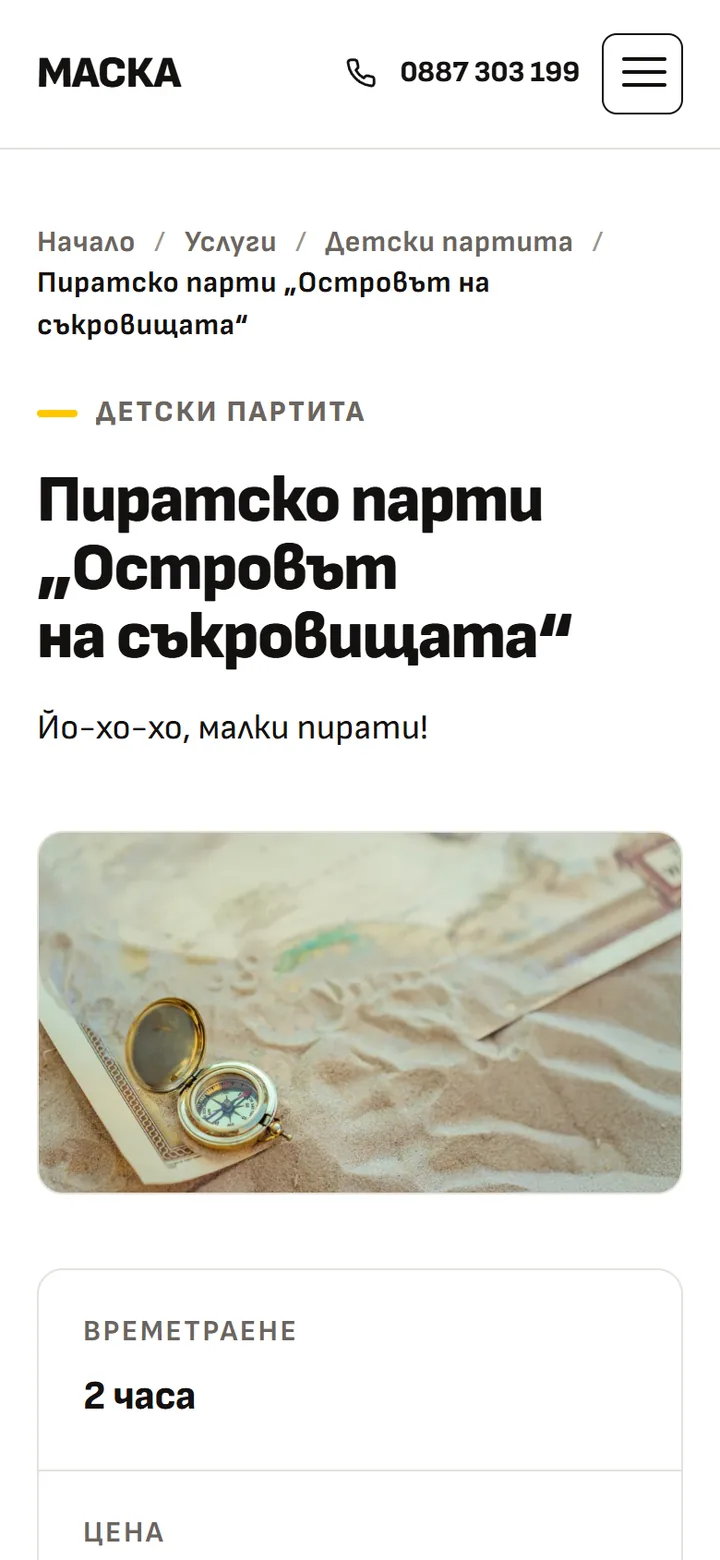
The new pirate party page on a phone: breadcrumbs, the title, a photo, then duration, price and age as separate rows.
After. Title first, then duration, price and age on rows of their own.

09 What's next

The site is live. The work goes on.

  • Next 1

    Questions, answered.

    A page of the questions parents ask before they book, in plain words.

  • Next 2

    Search and local SEO.

    Titles and descriptions for every page, and a fuller Google Business profile.

  • Next 3

    A blog that helps.

    Articles on choosing a party, a team building or a wedding programme, each linked to its service.

Maska

Need a site like this?

Tell me what the business is after and I will tell you how I would approach it.